
Every session.
Clinically documented.
PBSTrack is a specialist Android app for Behaviour Support Practitioners — NDIS-ready and equally suited to Child Safety, education, and private PBS practice. Built around the three layers of PBS practice: function-tagged ABC recording so you can see what’s driving the behaviour, MO (Motivating Operations) tracking for the environmental and physiological state behind it, and FERB (Functionally Equivalent Replacement Behaviour) data that proves the skill is being taught. Plus 10+ clinical reports — all with core data stored locally on your device.

One client. Six stages. No other app.
Follow Alex Reyes, a Behaviour Support Practitioner, as she builds a Comprehensive Behaviour Support Plan for Sam — an 11-year-old boy with ASD, ADHD, and a mild intellectual disability. Each stage below is a real screen from PBSTrack, in the order a BSP actually uses them.
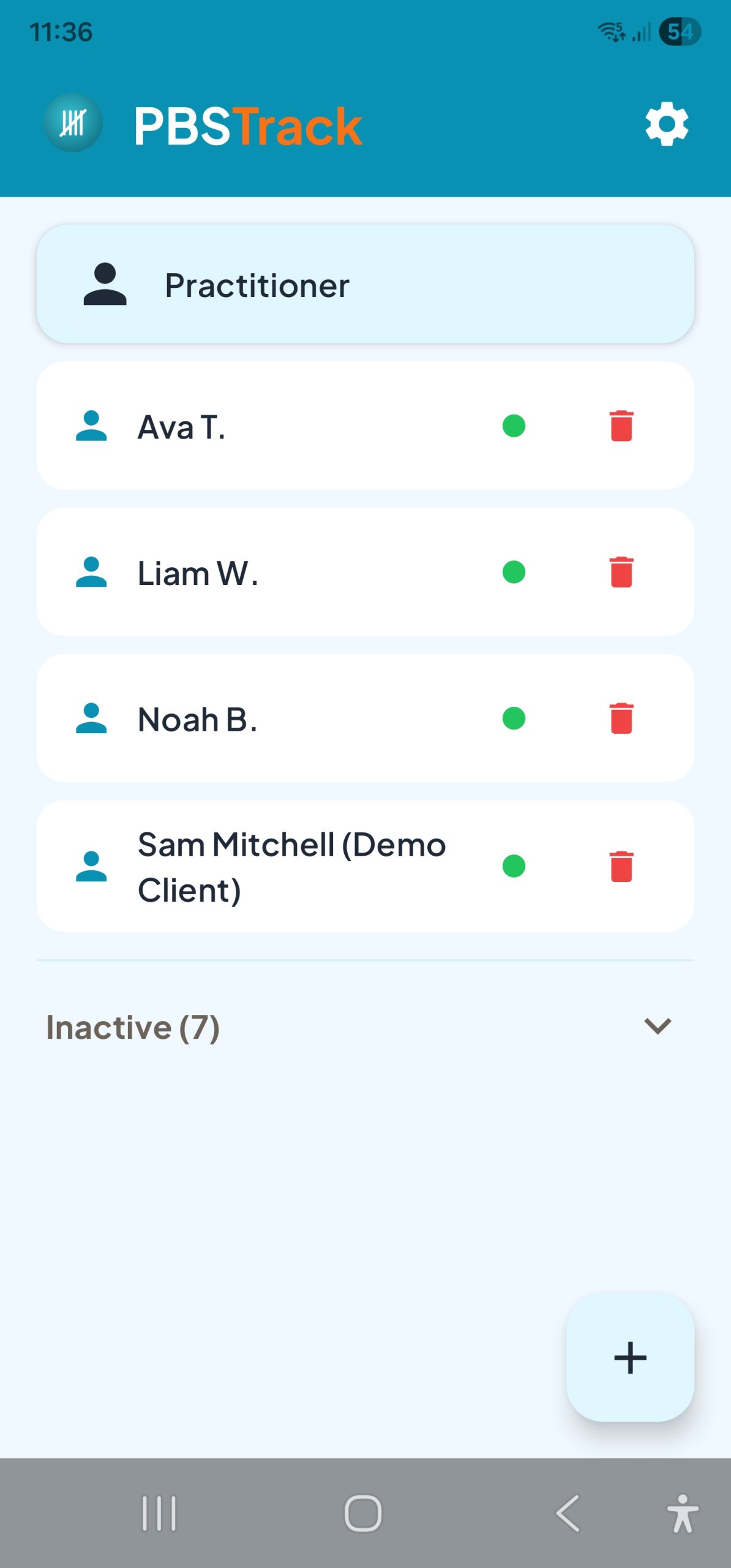
Add the client in 30 seconds. Pseudonym if you need to.
Sam’s my fifth referral this month. I add him on the way to the first school visit — initials only until I’ve got consent sorted. By the time I park, his record is ready.
Why it matters clinically: Device-local client records with flexible identifier fields (initials, participant codes, or full names) let you meet organisational data-governance and consent requirements at the point of collection, not retrospectively.
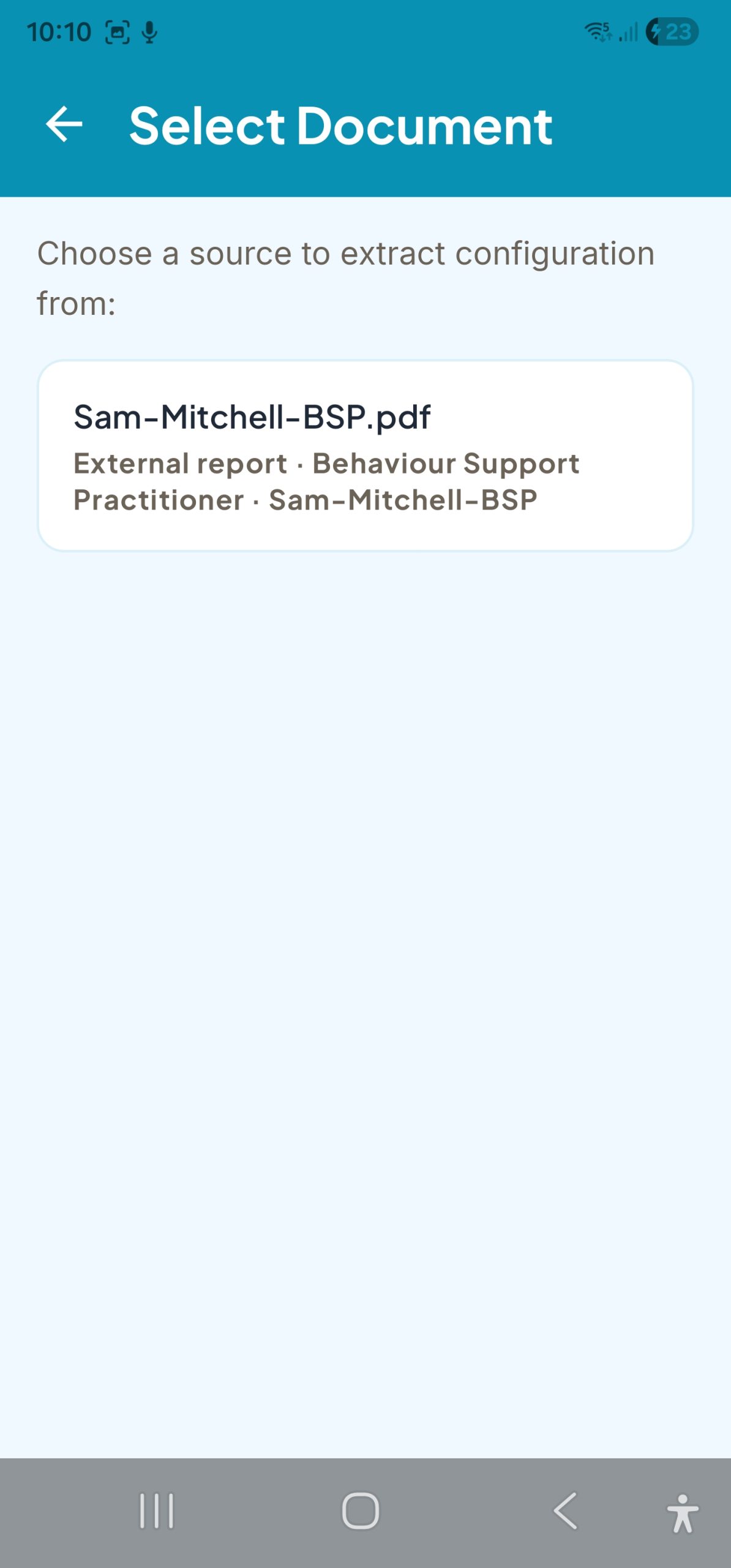
Existing reports become structured data in minutes.
Sam’s paediatric and school reports arrive as PDFs. I upload them, PBSTrack extracts the diagnoses, the behaviours, the antecedents — all pre-tagged by function. I review, tick what’s accurate, and his baseline is built.
Why it matters clinically: Config extraction turns existing clinical evidence (paediatric letters, FBA reports, school incident logs) into a structured client profile — behaviours, antecedents, consequences, and setting events ready for session recording. The practitioner confirms every item before it saves.
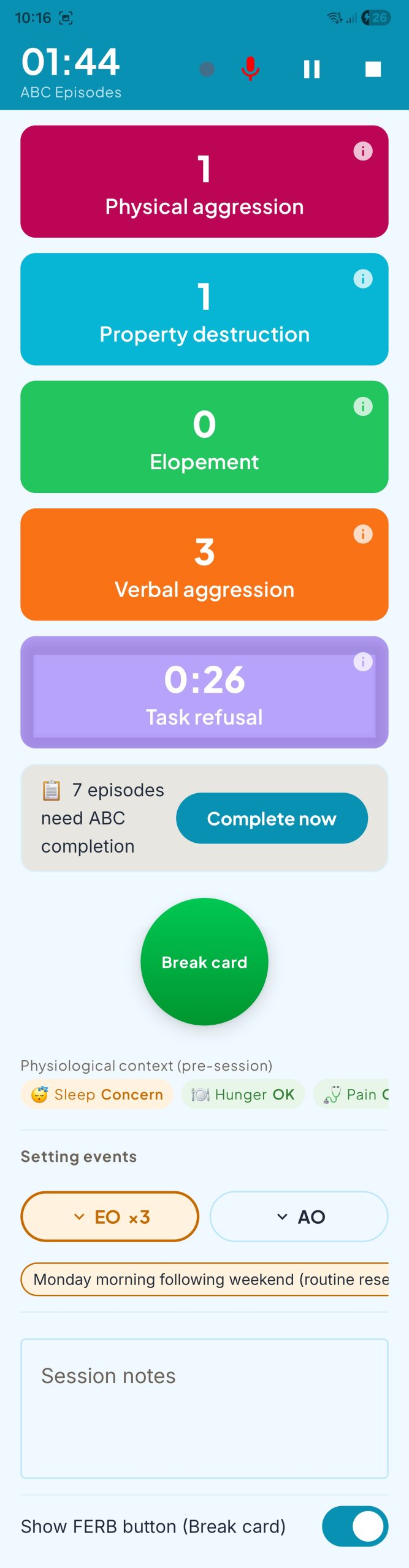
One tap per incident. Function tags already applied.
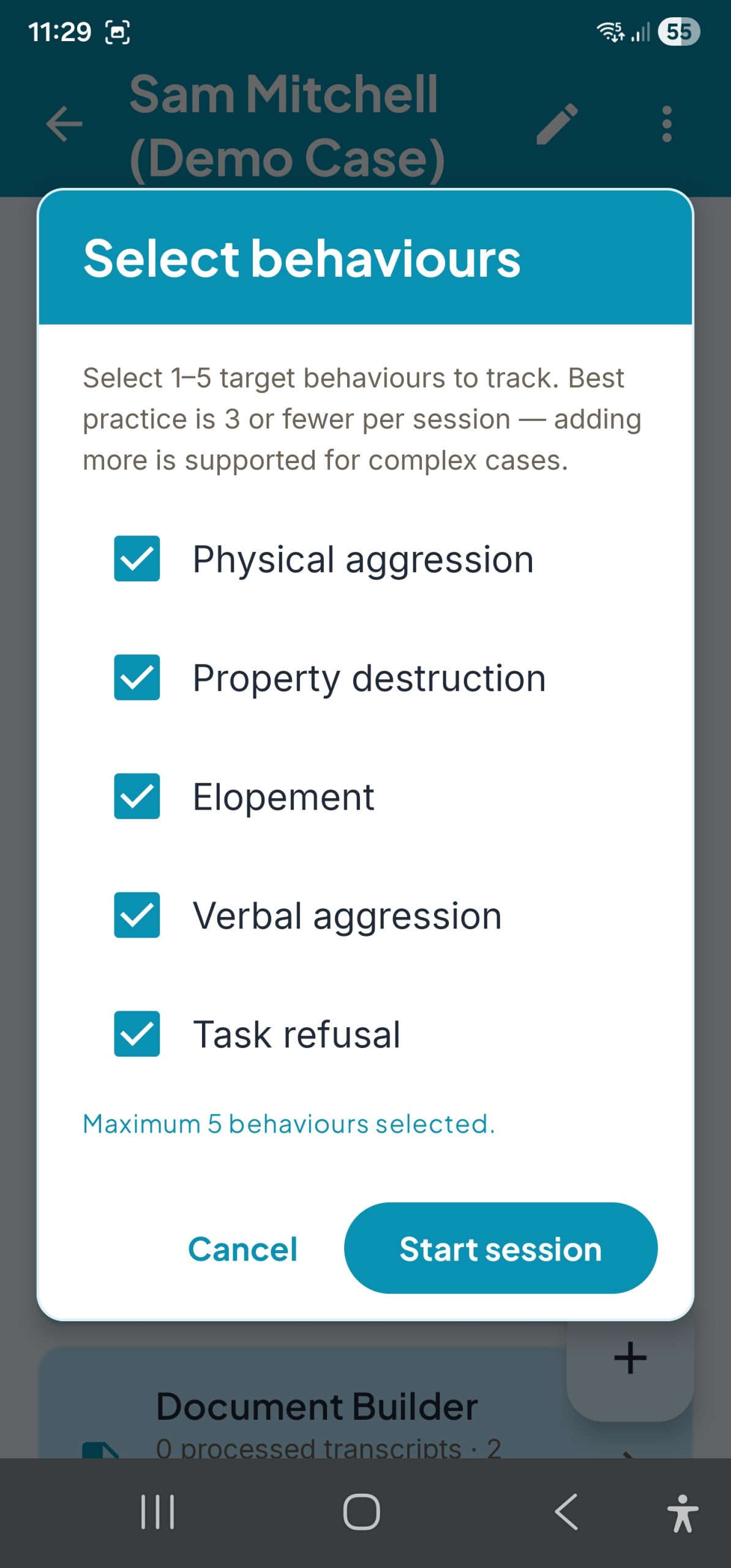
I’m in Sam’s classroom during the writing block — the high-risk period. Aggression, task refusal, verbal protest: one tap each. The function tag is already on the button. I’m watching Sam, not the phone.
Why it matters clinically: Function-tagged ABC entry produces a function hypothesis as you record, not in a follow-up analysis session. Intensity, duration, and time-in-session are captured per episode for rate, phase-change, and trend reporting.
Function hypothesis, driven by your own data.
Six sessions in, the pattern for Sam is clear: 71% of his aggression episodes follow a writing demand and terminate with demand removal. Escape-maintained, high confidence. That shapes the entire plan.
Why it matters clinically: Function analysis is computed from every ABC episode — no manual coding, no separate spreadsheet. The hypothesis updates as data accumulates, and the evidence trail is exportable for supervision, peer review, and NDIS audit.

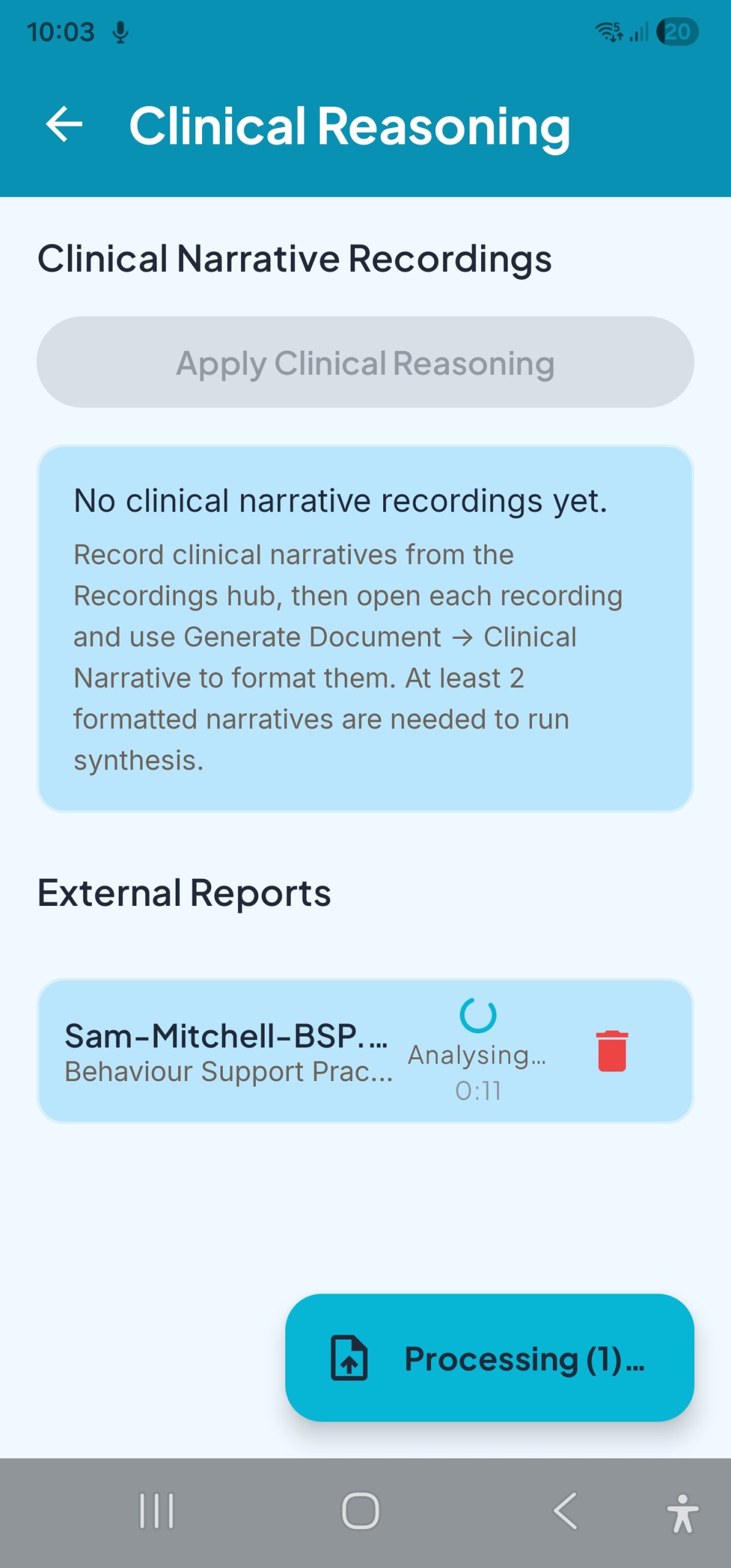
FERB, MO pathway, phase change — all in one hub.
I pull up Sam’s reasoning hub before our team review. FERB ratio is climbing — the break-card is working. MO pathway shows his aggression spikes on constipation days. We adjust the plan on that, in the meeting, with the evidence on screen.
Why it matters clinically: The Clinical Reasoning Hub unifies FERB ratio, MO (Motivating Operations) pathway analysis, setting-event correlations, and phase-change impact in one view — the decision-making evidence a BSP actually needs for a review meeting or a supervision case presentation.
CBSP, progress note, or stakeholder brief — ready to edit.
Sam’s six-month review is due. I select the sessions, the reports, and the CBSP template. Ten minutes later I’m editing a formatted Word document with his charts embedded — not staring at a blank page at 9pm.
Why it matters clinically: The AI Clinical Document Builder converges quantitative session data and qualitative evidence (interview transcripts, uploaded reports) into a formatted clinical narrative. You review, edit, and file — reclaiming 4–7 hours per week that would otherwise go to drafting from scratch.

Function-tagged from the first tap.
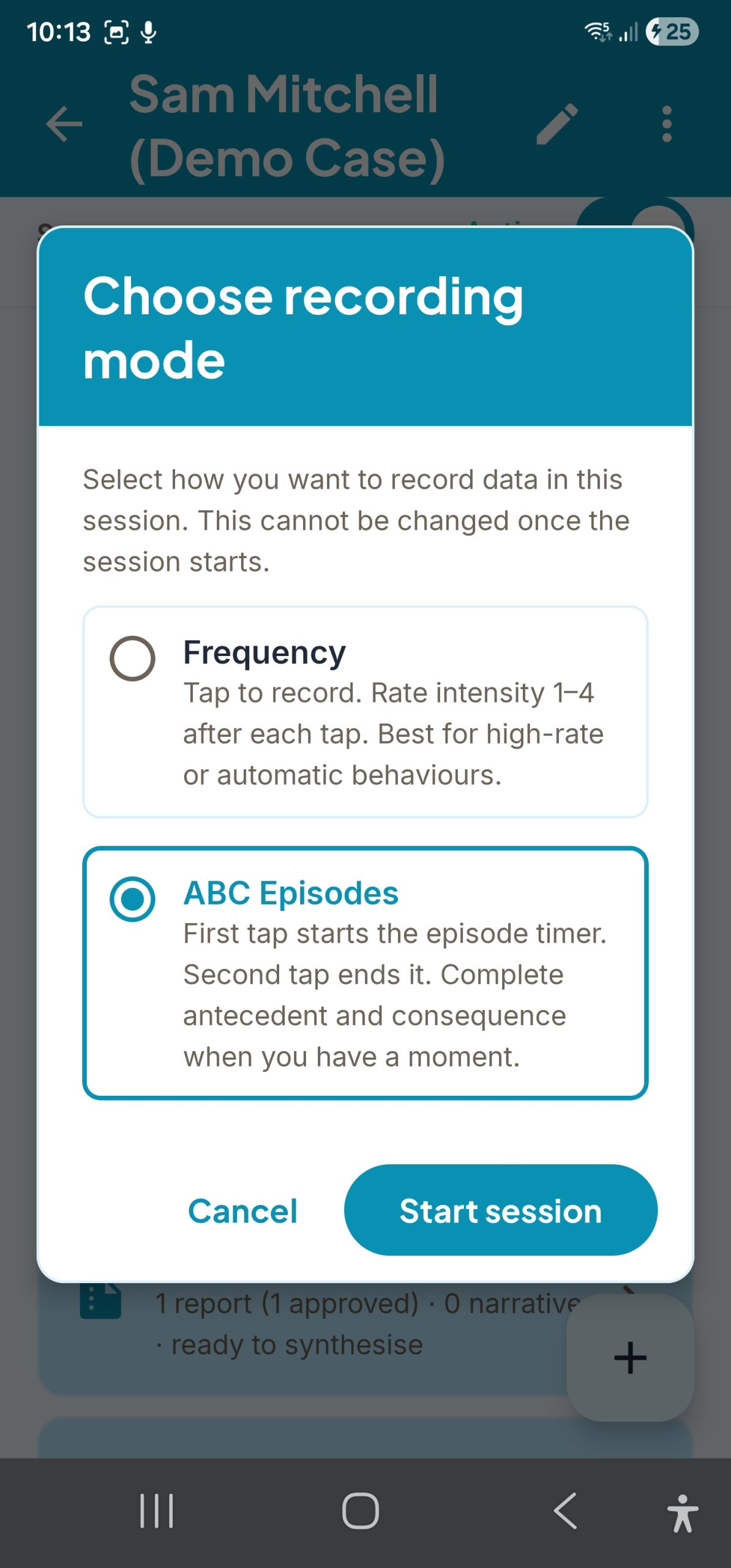
PBSTrack’s ABC recording flow is structured around the four established behavioural functions — Escape (ESC), Attention (ATT), Tangible (TAN), and Automatic (AUT, including sensory-mediated behaviour) — plus an Other category for atypical cases. Every antecedent and consequence option is pre-mapped during entry, so your data builds a function hypothesis automatically as you record.
- Function badges on every antecedent and consequence — no manual coding required
- Record intensity, episode duration, and time-in-session per ABC episode
- Client-specific presets load your most-used options to the top of every step
Built for a real caseload.
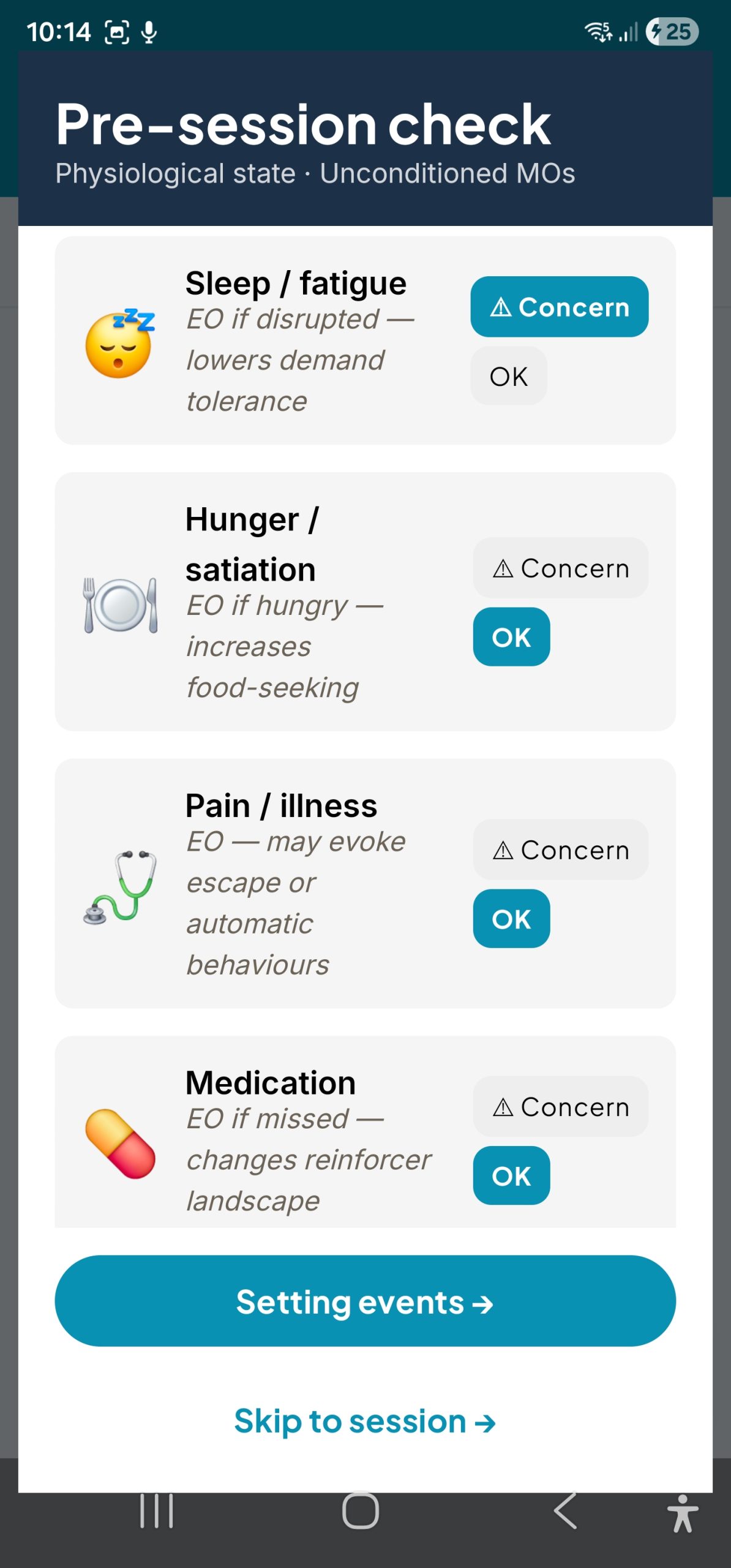
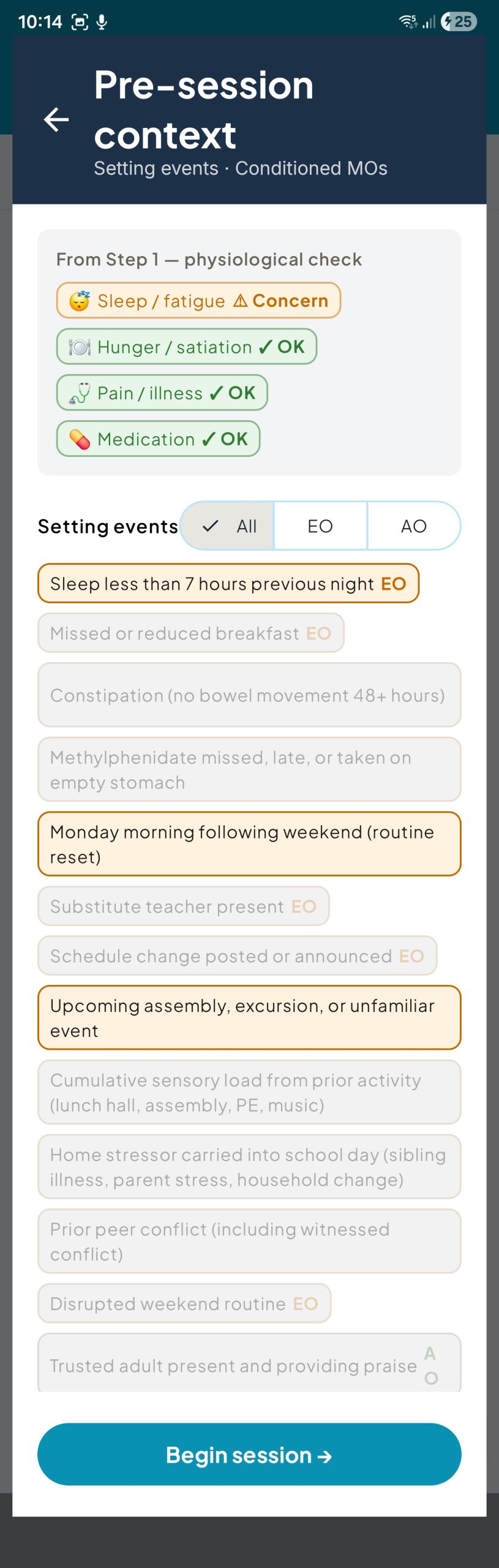
Manage multiple clients, each with their own behaviours, FERB targets, and preset response options. Before every session, PBSTrack prompts a physiological check — capturing sleep, hunger, pain, and medication state (together called Motivating Operations, or MO) so setting events are part of the dataset, not an afterthought.
- Client profiles with per-behaviour FERB targets and antecedent/consequence presets
- Pre-session MO check captures Establishing (EO, behaviour more likely) and Abolishing (AO, behaviour less likely) operations with built-in plain-English explanations
- Log past sessions when you couldn’t record live — date, time, duration, mode
Record and mark.
Review with context.
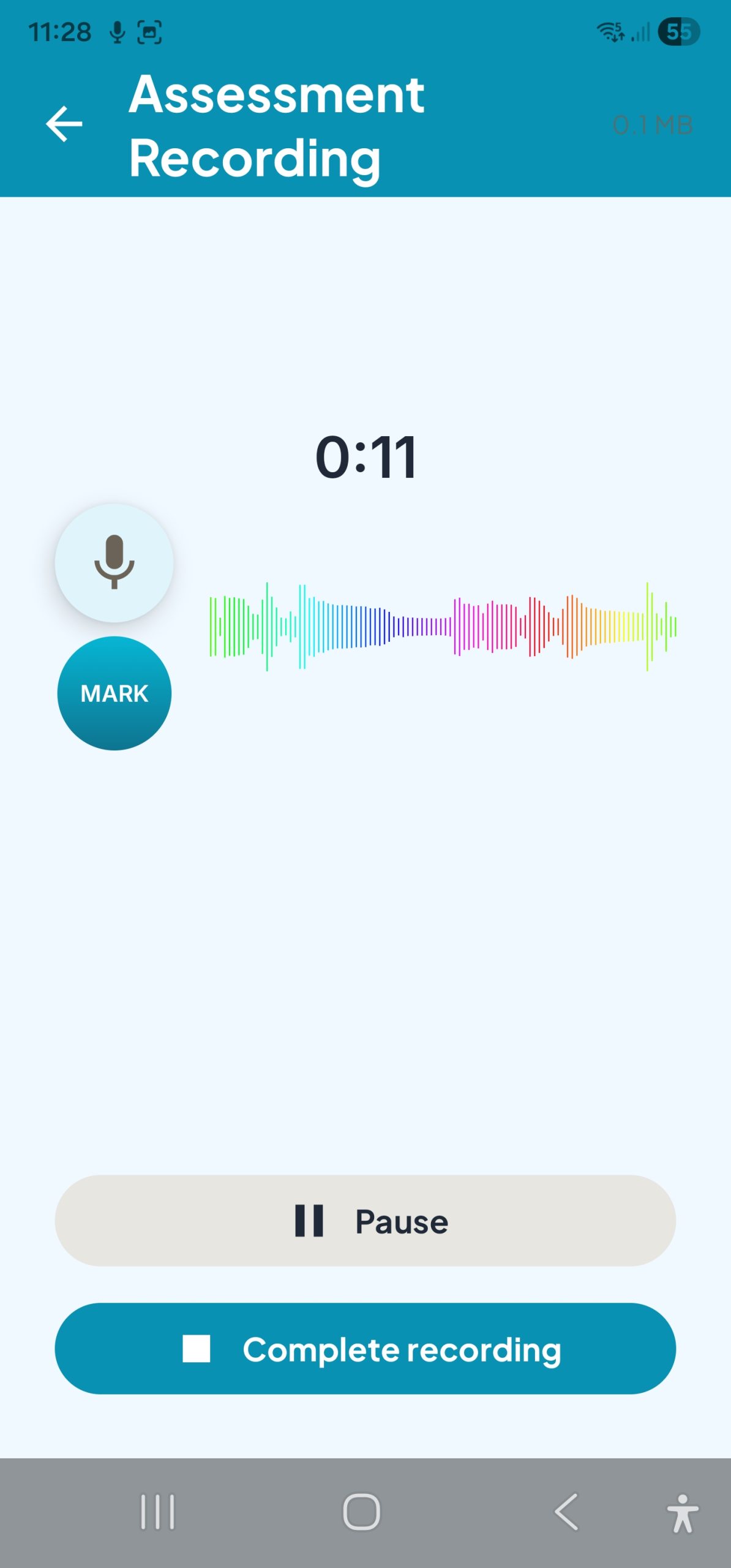
PBSTrack’s Voice Notes feature captures audio during or after any session. Mark key moments with a tap while recording — each mark carries a timestamp and a comment. When you review, the markers and waveform make it easy to find exactly what you need.
- Record audio and drop timestamped marks during live recording
- Review waveform, navigate to any marker, and read or add notes
- Audio recordings are stored locally on your device
Cloud transcription (Deepgram). When you choose to transcribe a voice recording, audio is sent to Deepgram for processing (Nova-2 model with speaker diarisation) and the transcript is returned to your device.
AI document generation and clinical processing (Anthropic Claude). When you generate a progress note, stakeholder report, clinical narrative, or run config extraction from an uploaded report, text content is sent to Anthropic’s API. Under Anthropic’s Commercial Terms, your content is never used to train their models and is auto-deleted within 30 days. Processing occurs on US infrastructure; Anthropic’s Data Processing Addendum provides contractual safeguards (AES-256 at rest, TLS 1.2+ in transit, MFA + SSO, annual third-party penetration testing, processor-role separation) that are substantively consistent with the Australian Privacy Principles, even though the DPA does not name the APPs specifically.
Australian users. Anthropic’s Privacy Policy explicitly recognises Australian users and directs privacy complaints to the Office of the Australian Information Commissioner (OAIC). You remain the data controller; PracticeWise and its sub-processors act as processors. For the full disclosure, see our privacy policy.
If privacy is your priority: use PBSTrack’s free tier (fully local), or at Pro tier simply don’t opt into the cloud AI features. You can also minimise identifiers in any text sent to the AI (initials or tokens instead of full names) — a de-identification helper is on our roadmap.
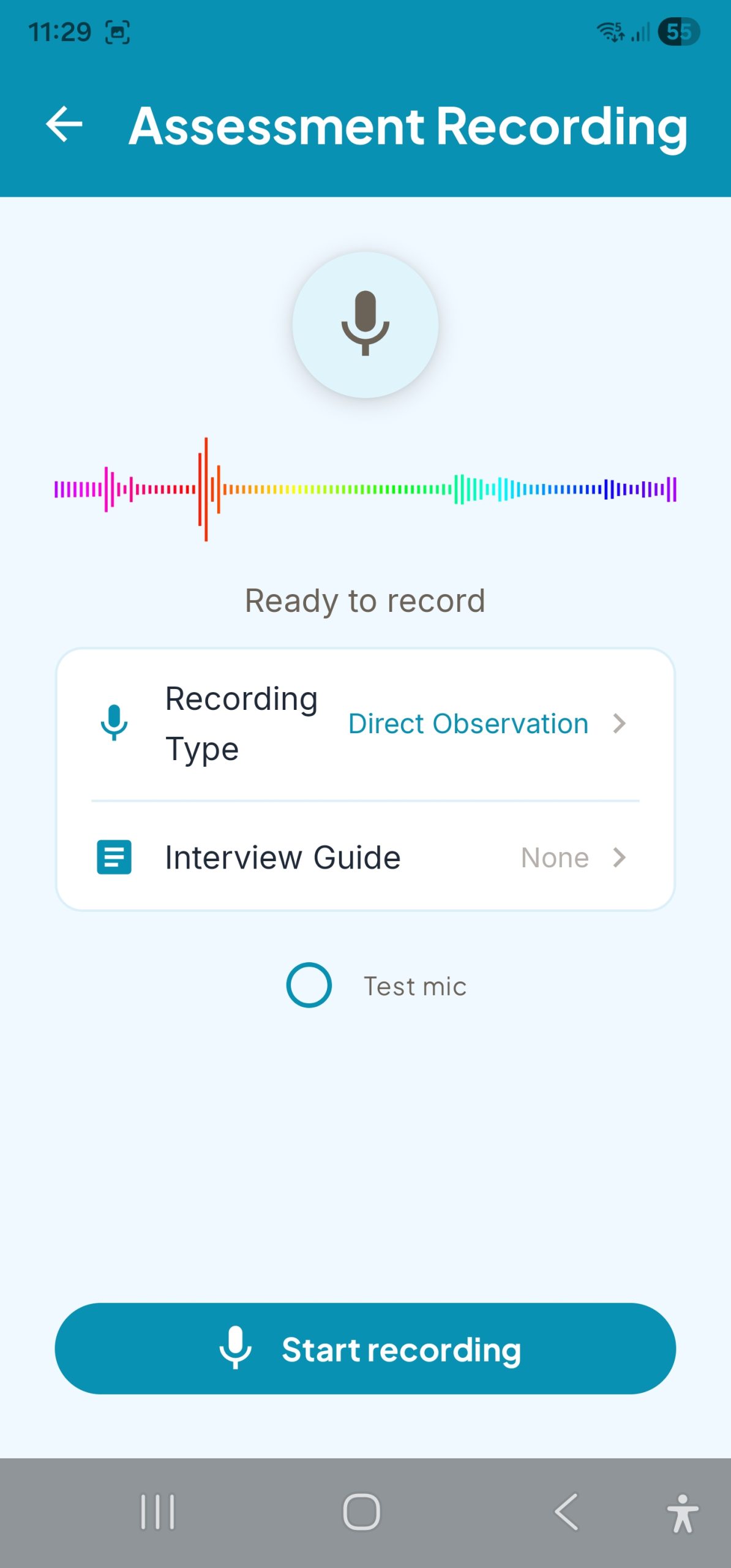
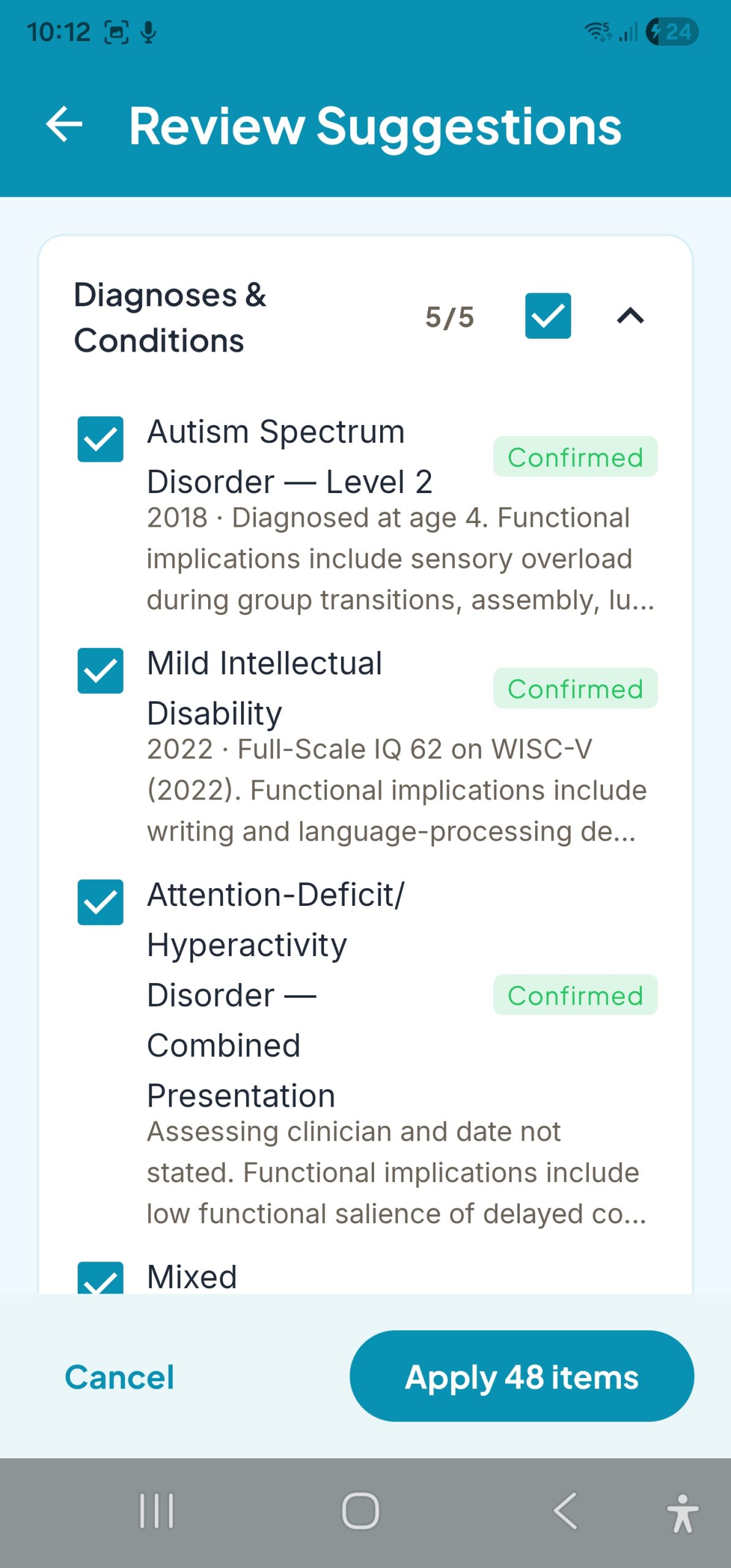
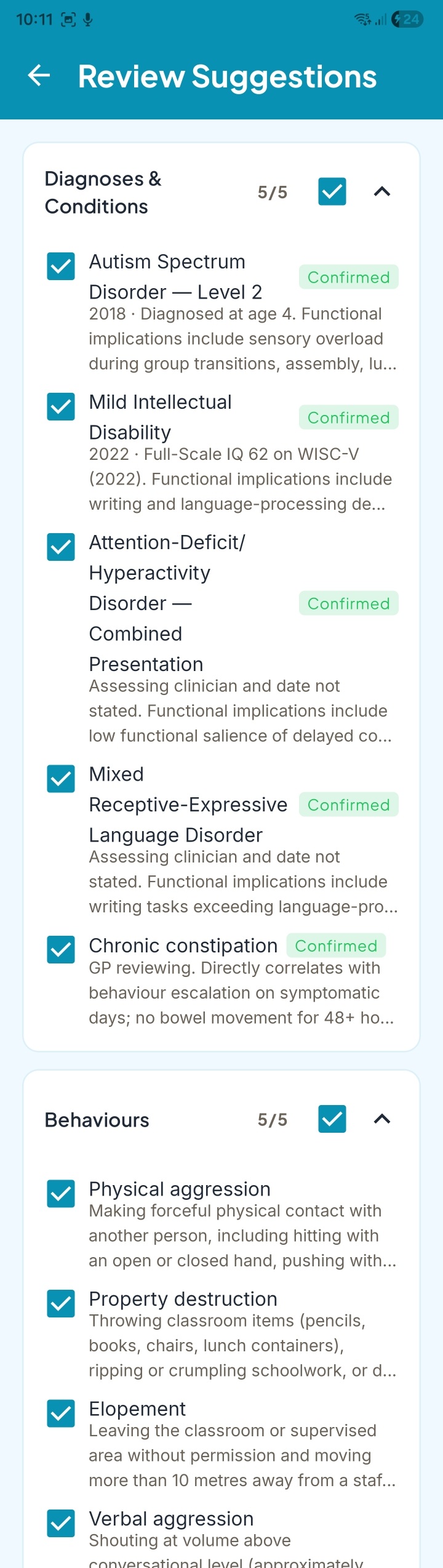
From PDF to structured clinical profile — in minutes, not hours
Drop in an existing assessment PDF, referral letter, or case note. PBSTrack extracts diagnoses, behaviours of concern, setting events, and contextual factors into a structured clinical profile you can review and refine before anything is saved.
You stay in control — every suggestion is checkable, editable, and declinable. Nothing enters the client record until you confirm.
- Extract diagnoses, behaviours, medications, and setting events from any PDF
- Review and confirm each suggestion before it’s saved to the client profile
- Cuts new-client intake from hours to minutes
- Private by default — documents processed on-device or via encrypted client-held keys
The analysis. Generated automatically.
After every session — and across your caseload — PBSTrack produces clinical analysis that would otherwise take hours. Scroll to explore all reports.
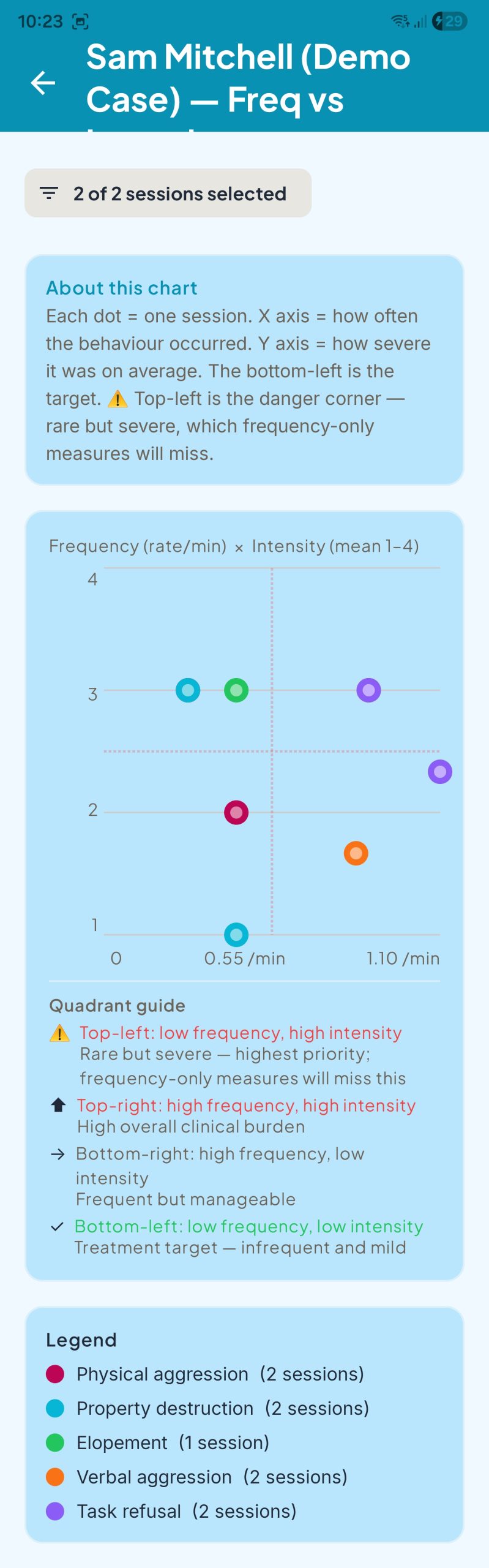
← Scroll to explore all reports →
Your clients’ data stays on your device.
PBSTrack was built around a simple principle: client behavioural data should never leave the practitioner’s device. No exceptions.
PBSTrack requires no login and has no server-side component. Your data is stored in an encrypted local database on your Android device — and nowhere else.
The NDIS Privacy Rule requires strict handling of sensitive participant data. With no third-party data processing and no cloud upload, PBSTrack is designed to support compliance from the ground up.
When you need to share data — with a participant, a team, or a stakeholder — PBSTrack exports to CSV or a formatted Word document. You control what goes where and when.
Simple, subscription-based pricing.
Full access to every feature. 14-day free trial included. Cancel any time.
All tiers store data locally on your device. No cloud storage or cross-device sync on any plan.
- Full ABC recording and session management
- All 10+ clinical reports
- FERB, MO framework, function analysis
- Up to 3 clients
- No Word / PDF export or audio
For students enrolled in a qualifying BSP or allied health programme
- Unlimited clients and session history
- All 10+ clinical reports
- Full Word Report Builder (4 CBSP templates)
- PDF export
- Audio recording with session markers
14-day trial included · Cancel any time
- Everything in Essentials
- Audio transcription (Deepgram, speaker diarisation)
- AI clinical document generation
- Unlimited session recording length
- Priority support
14-day trial included · Full access · Cancel any time
Ready to start your trial?
14 days. Full access. No card required. See why PBSTrack is the first ABC data app built for the way BSPs actually work.